

I’m going on a workation and taking… For many a traveler, packing your suitcase is a drama every time they travel. What do you take with you? What will fit in your suitcase? A remote work trip is slightly different from a vacation, where you also need slightly different stuff because you will be working remotely. In this blog I give you a hand, with tips on what you need as a digital nomad for a mobile workplace.
Packing work gear for your workation
Some people start collecting things to take on a trip a week in advance, others do it last minute. I belong to the latter category and always pack my luggage at the last minute. Because I travel a lot it becomes easier and easier, because there are certain things you always take with you. These items are already in a basket, so I can put them in my suitcase and not forget anything.
If I have a trip where I travel to many different places or travel a lot by public transport I prefer to take my backpack with me. It’s just a bit nicer when you have to walk bits and pieces. Besides the vacation outfits, appropriate shoes and beach towel, a workation requires just a little more stuff than a regular vacation. Also remember to bring some neat outerwear, if you have a serious video meeting you do want to look good. Some work associates may laugh at your hawaii shirt, but not everyone will. You want to be taken seriously in your work, so you have to make sure of that yourself.
Setting up your digital nomad workspace
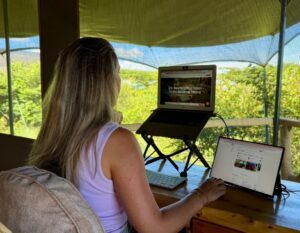
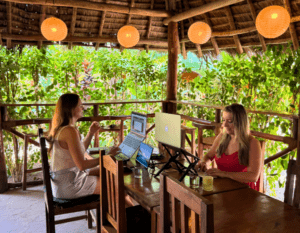
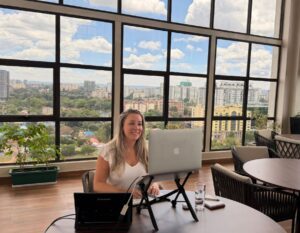
If you’re going to do your work in another place, you don’t have all the stuff you have at home or in the office. You can opt for a coworking space, but I usually prefer my own workspace in the apartment or hotel where I stay. Think carefully in advance about what you need for your work and purchase the necessary items.
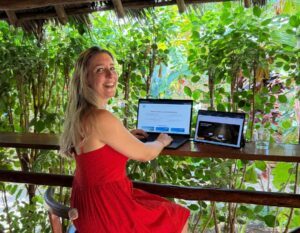
I don’t need to tell you to bring your laptop and charger with you when you travel. Since I have a mobile monitor, it always goes with me when I travel as well. A second screen is so much nicer to work with, especially when working with documents or figures and when you have video meetings. I use the lightweight portable monitor From Remodius, a good Dutch supplier of gear for digital nomads. I personally like the 13-inch for traveling, but they also have 16-inch. You buy these with a good protective case, so you can easily put it in your bag.
Herewith my tips for your mobile workplace
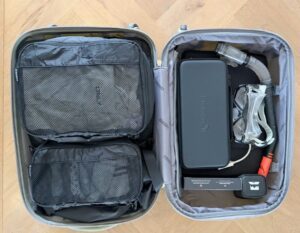
- Packing cubes: this allows you to pack neatly and find your belongings easily.
- Powerbank: if you work from another place, there is not always an outlet nearby. Or you don’t always know in advance exactly where you will end up and whether you can easily charge your laptop.
- Earphones/headset: preferably noise-cancelling. Then you can work quietly in many places. You can hear everything well in video meeting, and vice versa they hear you well too.
- Laptop stand: avoid getting a sore neck and back and put your laptop on a riser.
- Keyboard and mouse: this works much nicer. I really like the lightweight folding keyboard from Remodius.
- Unicharge 4-in-1 cables: so you always have the right cables with you. You can also bring an HDMI cable (connect to a screen) and cable for landline internet (as a backup).
- World plug: so you can charge anywhere, as sockets differ in other countries.
- Phone lanyard: while traveling, you will undoubtedly take more photos, so it is safe to have your phone on a lanyard so it is less likely to fall.
The practical preparation of your trip
Besides all the work stuff you need to bring, there are also some practical things you need to take care of before departure. Still too often very simple things are forgotten. Have you thought about:
- Need a visa? Check the entry requirements of your destination.
- Is your travel insurance in order? Keep in mind the right coverage for your destination and your valuables.
- Check your phone bundle! Within EU there is nothing wrong and you can even create a hotspot if the wifi doesn’t work. Outside the EU, it’s best to buy a local SIM card or temporarily increase your bundle.
- Have your colleagues and customers been informed? That’s very neat and sometimes required by your employer. Although they shouldn’t really notice that you are working from a different location, because you provide a good workplace.
Ready for take off! You now know what you need as a digital nomad and how to properly set up a mobile workplace. Make sure you have arranged this well in advance and purchased the right stuff so you can work comfortably and productively on site. If all goes well, you now have everything you need packed and all the practicalities well arranged. Time to start enjoying your remote work trip.
This blog contains affiliate links. For this you pay nothing extra, I only receive a small fee from the partner.
Learn more about remote working and workations: